Mounting A 75 Inch TV On The Wall: The Complete Guide
Everything you need to know about safely and securely mounting a 75-inch TV on your wall. From choosing the right bracket to step-by-step installation, we cover it all.
Start ReadingWhy This Guide Matters: A 75-inch TV is a significant investment and a large, heavy piece of equipment. Proper mounting is not just about aesthetics—it's about safety, security, and getting the best viewing experience. This guide will walk you through every consideration, from wall type to bracket selection and final installation, so you can mount your TV with confidence.
Why Mount a 75-Inch TV on the Wall?
Mounting a 75-inch TV on the wall offers numerous benefits that go beyond simply saving floor space. A wall-mounted TV provides a cleaner, more modern look, eliminates the need for a bulky TV stand, and allows you to position the screen at the optimal viewing height for your seating arrangement. For a TV of this size, proper mounting also enhances safety by keeping the screen securely out of reach of children and pets. If you're considering alternatives to wall mounting, options like a TV stand for 75-inch TV wall mount or a tabletop TV stand for 75-inch TV can provide flexibility, but nothing beats the sleek, space-saving profile of a wall-mounted setup.
Understanding Your Wall Type
The type of wall you have is the single most important factor in determining how to mount your 75-inch TV. Different walls require different mounting hardware and techniques. Before purchasing a bracket, you must identify your wall type. The most common types are wood stud walls, concrete or brick walls, and metal stud walls. Each presents unique challenges and requires specific anchoring solutions. For instance, mounting on a wall without studs requires specialized hardware, and you may need to explore options like a no-stud wall mount for 65-inch TV (similar principles apply for larger TVs) to ensure a safe installation.
Wood Stud Walls
This is the most common and ideal wall type for mounting a heavy TV. Studs are vertical wooden beams spaced typically 16 inches apart. You must drill into these studs to secure the mount. Use a stud finder to locate them accurately.
Concrete & Brick Walls
These walls are extremely strong and can support a large TV, but they require specialized masonry drill bits and concrete anchors (sleeve anchors or wedge anchors). Never use standard plastic wall plugs for a heavy TV.
Metal Stud Walls
Common in commercial buildings and some modern homes, metal studs are not as strong as wood. You'll need heavy-duty toggle bolts or specialized metal stud anchors. For very heavy TVs, you may need to reinforce the wall or add a plywood backing.
Choosing the Right Wall Mount for a 75-Inch TV
Not all TV mounts are created equal. A 75-inch TV typically weighs between 50 and 100 pounds (22–45 kg) without the stand. You need a mount specifically rated for this weight and size. There are three main types of wall mounts to consider:
| Mount Type | Best For | Pros | Cons |
|---|---|---|---|
| Fixed Mount | Viewing from a single, straight-on position | Lowest profile, most affordable, easiest to install | No tilt or swivel, limited viewing angles |
| Tilting Mount | Rooms with some glare or slightly elevated seating | Can tilt down to reduce glare, still relatively low-profile | Limited swivel, not ideal for corner placement |
| Full-Motion Mount | Rooms with multiple viewing positions or corner placement | Extends, swivels, and tilts for maximum flexibility | Bulkier, more expensive, requires more robust wall anchoring |
For a 75-inch TV, a heavy-duty TV wall mount is highly recommended. If you need flexibility, a full-motion mount for 65-inch TV (or a comparable model for 75-inch) is a great choice. For corner placements, a corner TV mount for 75-inch TV is specifically designed to fit snugly into a corner while allowing you to angle the screen toward the room. If you prefer a fixed, low-profile look, a fixed wall mount for 65-inch TV (with a higher weight rating) can work well.
Step-by-Step Installation Guide
Installing a 75-inch TV is a two-person job. Do not attempt it alone. Follow these steps carefully for a safe and secure installation.
1 Gather Your Tools and Materials
You will need: a stud finder, drill with appropriate bits, level, measuring tape, pencil, screwdriver set, socket wrench set, and the wall mount kit. Ensure your mount is rated for at least 1.5 times the weight of your TV. Also, consider a TV stand protector if you plan to place any equipment below the TV.
2 Determine the Mounting Height
The ideal height is when the center of the TV screen is at eye level from your primary seating position. For a 75-inch TV, this is typically 40–45 inches from the floor to the center of the screen. Mark this height on the wall.
3 Locate and Mark the Studs
Use a stud finder to locate the studs. Mark the center of each stud with a pencil. The wall plate of your mount will need to be secured into at least two studs (preferably three for a 75-inch TV).
4 Install the Wall Plate
Hold the wall plate against the wall, aligning it with your height mark. Use a level to ensure it's perfectly horizontal. Mark the pilot holes through the plate. Drill pilot holes (usually 3/16" for lag bolts) and secure the plate with lag bolts and washers. Tighten them firmly.
5 Attach the Brackets to the TV
Lay the TV face-down on a soft, clean surface. Attach the mounting brackets (from the kit) to the back of the TV using the correct screws. Most TVs have standard VESA mounting holes (for a 75-inch TV, this is often 400x400 or 600x400).
6 Hang the TV and Secure It
With a helper, carefully lift the TV and hook the brackets onto the wall plate. Once seated, secure the safety locks or screws as per the manufacturer's instructions. Double-check that everything is tight and the TV is level.
7 Manage Cables and Final Check
Use cable ties or a cable management system to keep wires tidy. If your TV is near a fireplace, ensure proper clearance; you might consider a TV stand with a fireplace for a combined solution, or a fireplace TV stand for 85-inch TV if you have a larger space. Also, a dimmable floor lamp for living room can improve the viewing experience by reducing eye strain.
Safety Tips and Common Mistakes to Avoid
- Never skip the studs: Drywall alone cannot hold a 75-inch TV. Always anchor into studs or use appropriate masonry anchors.
- Don't overtighten: Over-tightening bolts can strip the threads or crack the TV's mounting holes. Tighten until snug.
- Check the weight rating: Your mount must be rated for at least 1.5 times the weight of your TV. A 75-inch TV can weigh up to 100 lbs, so look for a mount rated for 150 lbs or more.
- Use a level: An unlevel TV is immediately noticeable and can be frustrating. Always use a level during installation.
- Get help: Lifting a 75-inch TV is a two-person job. Do not risk injury or damage by trying to do it alone.
- Consider cable management: Plan how you will hide cables before you mount the TV. In-wall cable management kits are ideal.
Frequently Asked Questions
Can I mount a 75-inch TV on drywall without studs?
No, you should never mount a 75-inch TV directly into drywall without studs. Drywall is not strong enough to support the weight and leverage of a large TV. You must anchor into studs, concrete, or use a specialized no-stud solution like a no-stud wall mount for 65-inch TV (which uses a different anchoring principle, but is generally not recommended for 75-inch TVs unless explicitly rated for it).
What is the best height to mount a 75-inch TV?
The ideal height is when the center of the TV is at eye level from your main seating position. For most living rooms, this means the center of the screen should be 40–45 inches from the floor. If you have a fireplace, you may need to mount it higher, but this can cause neck strain. In that case, a tilting mount can help angle the TV down.
Do I need a special mount for a 75-inch TV?
Yes, you need a mount specifically rated for the size and weight of a 75-inch TV. Look for a mount that supports at least 150 lbs and has a VESA pattern that matches your TV (commonly 400x400 or 600x400). A heavy-duty TV wall mount is an excellent choice for larger TVs.
Can I mount a 75-inch TV on a brick wall?
Yes, you can mount a TV on a brick wall, but you must use the correct masonry anchors (wedge anchors or sleeve anchors). Do not use standard plastic plugs. The installation process is different from drywall, so follow the mount manufacturer's instructions for masonry carefully.
How do I hide the cables after mounting?
You can use in-wall cable management kits, which involve cutting a small hole behind the TV and another near the floor, then running the cables through the wall. Alternatively, you can use surface-mounted cable channels (raceways) that can be painted to match your wall. For a clean look, consider a small floating entertainment center to conceal components and cables.
Recommended Wall Mounts & Accessories for 75-Inch TVs
⚠️ AFFILIATE DISCLOSURE: This website contains affiliate links. As an affiliate Associate, we earn from qualifying purchases. If you make a purchase through these links, we may receive a small commission at no additional cost to you. Read our full affiliate policy.
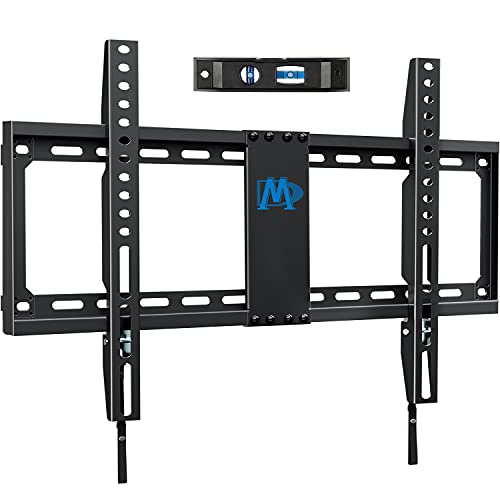
Mounting Dream TV Mount Fixed for Most 42-84 Inch Flat Screen TV UL Listed | TV Wall Mount Bracket up to VESA 600 x 400mm and 132 lbs - Fits 16"/18"/24" Studs - Low Profile and Space Saving MD2163-K
Check price on Amazon
Full Motion TV Wall Mount for Most 37"-84" Flat Screen TV, Swivel or Tilt TV Wall Bracket with Dual Articulating Arms, for 12"-16" Wood Studs, Max VESA 600x400mm, Load 120 lbs by USX MOUNT
Check price on Amazon
Mounting Dream Full Motion TV Wall Mount for 42-90 Inch TV up to 154lbs | TV Bracket with Swivel and Tilt, Articulating Dual Arms, Fits 16inch Studs, Max VESA 600X400 mm, MD2617
Check price on Amazon
EZISE Studless TV Wall Mount for 32-75 inch TVs, Low Profile, No Drill | No Stud Drywall TV Mount Holds up to 150 lbs, Easy to Install for Bedroom Living Room, Includes Level & Mounting Hardware
Check price on Amazon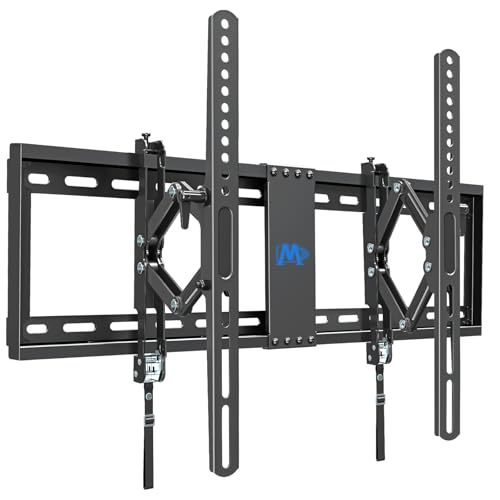
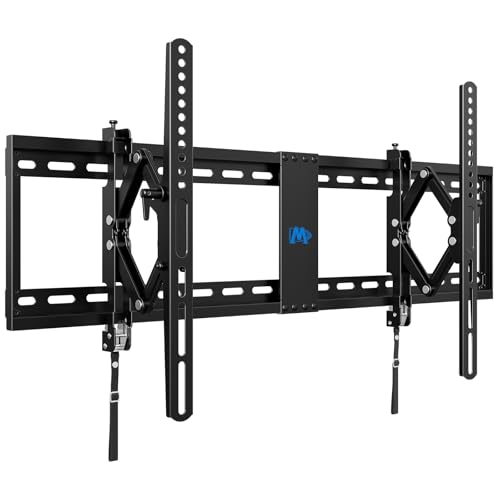
Mounting Dream UL Listed Advanced Tilt TV Wall Mount for Most 42-90 Inch TV | TV Bracket with Full Tilt Extension up to 7", US-based Customer Service, Fits 16/18/24" Stud, Max VESA 600x400mm and 120LBS
Check price on Amazon
HangSmart TV® Wall Mount NO Stud - Original & Patented Easy Install, DIY for 19-100" TVs, Holds Up to 150LBS, Fits Most LED LCD Flat Screens & Monitors, Includes Hardware
Check price on Amazon
Mounting Dream Tilting TV Wall Mount for Most 37-90 Inch TVs up to 132lbs | Low Profile TV Mount Fits 16", 18", 24" Studs, Max VESA 600x400mm, Wall Mount TV Bracket with Quick Lock & Release, MD2268-LK
Check price on Amazon