
Hanging a 55 Inch TV on the Wall: The Complete Guide
Everything you need to know to safely and perfectly mount your 55-inch TV. From choosing the right mount to finding the ideal height, we cover it all.
Wall-mounting a 55-inch TV is one of the best ways to create a clean, modern look in your living room. It saves space, improves viewing angles, and adds a professional touch to your home entertainment setup. But the process involves more than just drilling a few holes. This guide will walk you through every step, ensuring you achieve a safe, secure, and aesthetically pleasing result.
Why Wall-Mount Your 55-Inch TV?
A 55-inch screen is the sweet spot for many living rooms. It's large enough for an immersive movie experience but not so large that it dominates a standard-sized room. Mounting it on the wall offers several distinct advantages over placing it on a piece of furniture. It eliminates the need for a bulky TV console for a 55-inch flat screen, freeing up floor space and making the room feel larger. It also provides a more stable and secure position, which is a key consideration for households with children or pets. Furthermore, a wall-mounted TV can be adjusted to the perfect viewing height, reducing neck strain and improving your overall viewing experience.
Choosing the Right Wall Mount for Your 55-Inch TV
The first and most critical step is selecting the correct wall mount. Not all mounts are created equal, and the right choice depends on your specific needs and the layout of your room. For a 55-inch TV, you'll generally be looking at mounts with a VESA pattern of 200x200, 400x200, or 400x400. A VESA 200x200 wall mount for a 55-inch TV is a very common standard for this screen size. Always check your TV's manual to confirm its exact VESA pattern and weight.
There are three main types of wall mounts to consider:
- Fixed Mounts: These are the most affordable and low-profile option. They hold the TV flush against the wall, creating a sleek, minimalist look. However, they offer no flexibility in viewing angle, so you'll need to position your seating area directly in front of the TV.
- Tilting Mounts: These mounts allow you to tilt the screen up or down. This is excellent for reducing glare from windows or lights, and it's a good choice if you need to mount the TV slightly higher than eye level.
- Full-Motion Mounts: Also known as articulating mounts, these offer the most flexibility. You can extend the TV away from the wall, swivel it left or right, and tilt it. This is ideal for rooms with multiple seating areas or if you want to angle the TV towards a specific spot. A full-motion TV wall mount for a 55-inch TV is a popular upgrade for its versatility. For those who need to pull the TV out and swivel it, a TV mount that pulls out and swivels is the perfect solution.
Gathering Your Tools and Finding the Perfect Spot
Before you begin, gather all the necessary tools. You will need a stud finder, a drill, a level, a pencil, a tape measure, a socket set, and a screwdriver. Most importantly, you'll need a friend to help you lift the TV. The first step is to determine the mounting location. For optimal viewing, the center of the TV screen should be at eye level when you are seated. A common rule of thumb is that the center of the TV should be about 42 inches from the floor. However, this can vary based on your sofa height and personal preference.
Use a stud finder to locate the wooden studs behind your drywall. It is crucial to mount the TV bracket into studs, not just drywall, to support the weight. Studs are typically spaced 16 or 24 inches apart. If you have a TV mount for studs 32 inches apart or a TV wall mount with 32-inch stud spacing, you'll need to use a mount that can accommodate that specific spacing. Once you've found your studs, mark their locations with a pencil.
Step-by-Step Installation
- Attach the Mounting Plate to the TV: Lay your TV face-down on a soft, clean surface like a blanket or foam pad. Attach the vertical brackets from your mount to the back of the TV using the screws provided by the manufacturer. Ensure they are securely tightened.
- Install the Wall Plate: Hold the wall plate against the wall, aligning it with your marked studs. Use a level to ensure it is perfectly horizontal. Mark the screw holes, then drill pilot holes into the studs. Secure the wall plate with heavy-duty lag bolts. This is the most important step for safety, so double-check that the plate is firmly attached.
- Hang the TV: With the help of a friend, carefully lift the TV and hook the vertical brackets onto the wall plate. Most mounts have a locking mechanism or safety screws to prevent the TV from being accidentally knocked off. Make sure these are engaged.
- Adjust and Finalize: If you have a tilting or full-motion mount, adjust the angle to your liking. Use a level to confirm the TV is perfectly straight. Finally, manage your cables. Consider a TV wall mount with a cable box holder or use cable ties and wall channels to hide the wires for a clean, professional finish.
Pro Tip: If you are unsure about the structural integrity of your wall or the installation process, it is always best to hire a professional. The cost of professional installation is a small price to pay for the peace of mind that your expensive TV is safely and securely mounted.
What About the Accessories?
Once your TV is on the wall, you might realize you need a place for your cable box, gaming console, or soundbar. A common solution is to place a low-profile piece of furniture underneath. A table to put under a wall-mounted TV or a stand to put under a wall-mounted TV can provide a convenient surface for your devices without adding bulk. If you have a soundbar, you might want to explore options like a wall mount with a soundbar, though you'll need to ensure it fits a 55-inch TV. For a truly organized look, a TV wall mount with a cable box holder is an excellent choice.
Key Takeaways for Hanging a 55-Inch TV
- Choose the Right Mount: Decide between fixed, tilting, or full-motion based on your room's layout.
- Find the Studs: Always secure the wall plate into wooden studs for maximum safety.
- Optimal Height: Aim for the center of the TV to be at eye level when seated (around 42 inches from the floor).
- Check VESA Pattern: Confirm your TV's VESA pattern (often 200x200 or 400x200) before buying a mount.
- Get Help: A 55-inch TV is heavy and awkward; always have a second person assist with lifting.
Recommended Wall Mounts for 55-Inch TVs
⚠️ AFFILIATE DISCLOSURE: This website contains affiliate links. As an affiliate Associate, we earn from qualifying purchases. If you make a purchase through these links, we may receive a small commission at no additional cost to you. Read our full affiliate policy.

Perlegear No Drill TV Wall Mount for Most 24-65 Inch TVs up to 100 lbs
Check price on Amazon
HangSmart TV® Wall Mount NO Stud - Original & Patented Easy Install, DIY for 19-100" TVs, Holds Up to 150LBS, Fits Most LED LCD Flat Screens & Monitors, Includes Hardware
Check price on Amazon
Full Motion TV Wall Mount for Most 37"-84" Flat Screen TV, Swivel or Tilt TV Wall Bracket with Dual Articulating Arms, for 12"-16" Wood Studs, Max VESA 600x400mm, Load 120 lbs by USX MOUNT
Check price on Amazon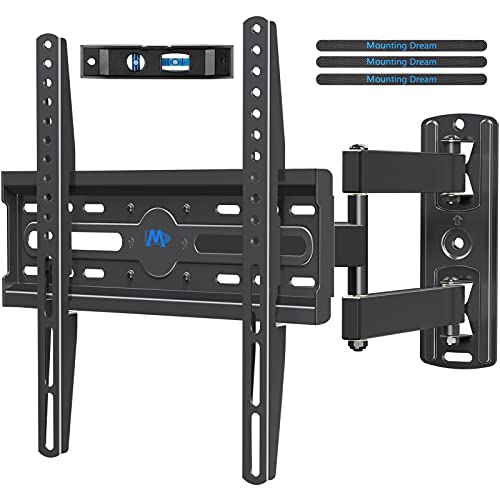
Mounting Dream TV Wall Mount Swivel and Tilt for 26-55 Inch TV up to 60 lbs
Check price on Amazon
KAMIWI No Drill No Stud TV Wall Mount for 22-55 Inch TVs up to 100lbs
Check price on Amazon
Pipishell Full Motion TV Mount for 26–60 inch TVs up to 77 lbs
Check price on Amazon
monTEK Full Motion TV Wall Mount for 13-55 Inch TVs up to 55 lb
Check price on Amazon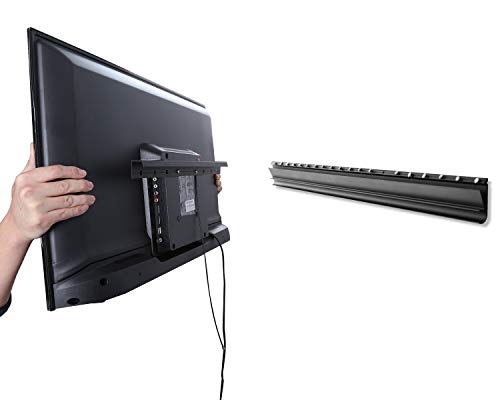
AENTGIU Studless TV Wall Mount, Alloy Steel, Hold 80 Lbs, 26 to 55 Inch TVs
Check price on AmazonFrequently Asked Questions
What is the best height to hang a 55-inch TV?
The ideal height is when the center of the screen is at your eye level while seated in your primary viewing position. For most people, this is approximately 40 to 45 inches from the floor to the center of the TV.
Do I need a special mount for a 55-inch TV?
You need a mount that supports the weight of your specific 55-inch TV and matches its VESA pattern. Most 55-inch TVs use a VESA pattern of 200x200 or 400x200. Always check your TV's specifications.
Can I mount a 55-inch TV on drywall without studs?
No. It is not safe to mount a TV of this size and weight on drywall alone. You must secure the wall mount into wooden studs or use heavy-duty toggle bolts designed for this purpose, though studs are always the preferred and safest option.
What is the difference between a tilting and a full-motion mount?
A tilting mount allows you to tilt the screen up or down to reduce glare. A full-motion (or articulating) mount allows you to extend, swivel, and tilt the TV, offering the most flexibility in viewing angle.