
65 Inch Flat Screen TV Wall Mount: The Complete Guide
Everything you need to know before buying a wall mount for your 65-inch flat screen TV — weight limits, VESA patterns, mount types, and installation tips.
Why a Wall Mount Is the Best Choice for Your 65-Inch TV
A 65-inch flat screen TV is a significant investment, and how you mount it dramatically affects both your viewing experience and the safety of your home. Unlike a traditional TV stand, a wall mount elevates your screen to the ideal viewing height, eliminates the risk of tipping, and frees up valuable floor space. For many homeowners, mounting a 65-inch TV is the single most impactful upgrade they can make to their living room or home theater setup.
But not all wall mounts are created equal. A 65-inch TV typically weighs between 40 and 70 pounds, and its large footprint demands a mount that can handle both the weight and the leverage. Choosing the wrong mount can lead to sagging, instability, or even a dangerous fall. This guide will walk you through every consideration — from VESA patterns to wall types — so you can buy with confidence.
Quick Tip: Always check your TV's VESA pattern and weight before shopping. Most 65-inch TVs use a VESA pattern of 400x400 or 600x400, but you should verify this in your TV's manual or on the back panel.
Types of Wall Mounts for a 65-Inch Flat Screen TV
There are three main types of wall mounts, each with distinct advantages. Your choice depends on your viewing habits, room layout, and installation preferences.
1. Fixed Wall Mount
A fixed mount holds your TV flush against the wall, typically leaving only 1 to 2 inches of clearance. It is the most affordable and minimalist option, ideal for rooms where the TV is always viewed from the same position. If you want a clean, built-in look — similar to what you would achieve with a small floating entertainment center — a fixed wall mount for 65 inch TV is an excellent choice. However, it offers no flexibility for adjusting the viewing angle.
2. Tilt Wall Mount
A tilt mount allows you to angle the TV downward by 10 to 15 degrees, which is perfect for reducing glare from windows or overhead lights. It is a smart compromise between the low profile of a fixed mount and the flexibility of a full-motion mount. Tilt mounts are particularly useful in bedrooms where the TV is mounted higher than eye level.
3. Full-Motion Wall Mount
A full motion mount for 65 inch TV — also called an articulating or swing-arm mount — lets you extend, retract, and swivel the TV. This is the most versatile option, allowing you to point the screen toward different seating areas or pull it away from the wall for easy cable access. If you have an open-concept living space or frequently rearrange furniture, a full-motion mount is worth the investment. Just be aware that it requires a sturdier wall and more careful installation.
| Mount Type | Best For | Typical Price Range | Profile |
|---|---|---|---|
| Fixed | Clean look, single viewing position | $30–$80 | 1–2 inches |
| Tilt | Glare reduction, higher mounting | $50–$120 | 2–3 inches |
| Full-Motion | Flexible viewing angles, open spaces | $100–$300 | 2–20 inches (extended) |
VESA Patterns and Weight Limits: What You Must Know
The Video Electronics Standards Association (VESA) defines standard mounting hole patterns for flat screen TVs. For a 65-inch TV, the most common VESA patterns are 400x400mm and 600x400mm. Your mount must support the VESA pattern of your specific TV model. Most quality mounts include adjustable brackets that accommodate a range of patterns, but you should always confirm compatibility before purchasing.
Weight capacity is equally critical. A 65-inch TV typically weighs between 40 and 70 pounds, but you should always check your TV's exact weight. Choose a mount rated for at least 1.5 times the weight of your TV. For example, if your TV weighs 50 pounds, look for a mount rated for 75 pounds or more. This safety margin accounts for dynamic forces when the TV is extended or adjusted.
Safety First: A wall bracket for a 65 inch TV that is under-rated for weight is a serious hazard. Never compromise on weight capacity.
Wall Types: Wood Stud, Concrete, and No-Stud Solutions
The type of wall you have determines the hardware and mounting method you need. Here is a breakdown:
- Wood Stud Walls: The most common residential wall type in North America. You must drill into the studs (the vertical wooden beams behind the drywall) for secure mounting. Use a stud finder to locate them. Most mounts include lag bolts designed for wood studs.
- Concrete or Brick Walls: These require masonry drill bits and concrete anchors. Concrete walls are extremely strong but require more effort to drill. Always use the appropriate anchors for your wall material.
- No-Stud Walls: If your wall lacks studs in the desired location, you may need a no stud wall mount for 65 inch TV or a heavy-duty toggle bolt anchor system. These solutions distribute the weight across a larger area of drywall, but they are not suitable for full-motion mounts that create leverage.
If you are unsure about your wall type or the location of studs, consult a professional installer. The cost of professional installation ($100–$300) is minimal compared to the risk of a fallen TV.
Installation Tips for a 65-Inch TV Wall Mount
Installing a 65-inch TV wall mount is a two-person job. The TV alone is heavy and awkward to handle, and the mount itself must be perfectly level. Here are the key steps and tips:
- Locate the studs: Use a reliable stud finder and mark the center of each stud with a pencil.
- Mark the mount height: For optimal viewing, the center of the TV should be at eye level when seated — typically 42 to 48 inches from the floor.
- Drill pilot holes: Use a drill bit slightly smaller than your lag bolts to prevent splitting the wood.
- Attach the wall plate: Secure the wall plate to the studs using the provided lag bolts and washers. Tighten firmly but do not overtighten.
- Attach the brackets to the TV: Screw the mounting brackets to the back of your TV using the correct size screws (most mounts include a variety).
- Hang the TV: With a helper, lift the TV and hook the brackets onto the wall plate. Tighten the safety screws.
- Check the level: Use a bubble level to ensure the TV is perfectly horizontal. Adjust as needed.
For a more detailed walkthrough, including cable management and safety checks, see our guide on TV stand for 65 inch TV wall mount.
Integrating a Wall Mount with Your Existing Furniture
If you already own a TV stand or entertainment center, a wall mount can still work beautifully. In fact, mounting your TV above a media console is a popular design choice that combines the storage of a TV stand with storage for living room with the sleekness of a wall-mounted screen. Just ensure there is enough vertical space between the top of the console and the bottom of the TV for soundbars, decor, or ventilation.
For those who want the ultimate combination of function and style, consider a entertainment center with TV mount 65 inch. These units are designed with integrated mounting systems, eliminating the need for a separate wall mount while providing ample storage for media components.
If you are working with a corner space, a corner TV stand for 65 TV paired with a corner-friendly mount can maximize your room's layout. And for added protection, a TV stand protector can safeguard your furniture from scratches and spills.
Recommended 65 Inch Flat Screen TV Wall Mounts
⚠️ AFFILIATE DISCLOSURE: This website contains affiliate links. As an affiliate Associate, we earn from qualifying purchases. If you make a purchase through these links, we may receive a small commission at no additional cost to you. Read our full affiliate policy.
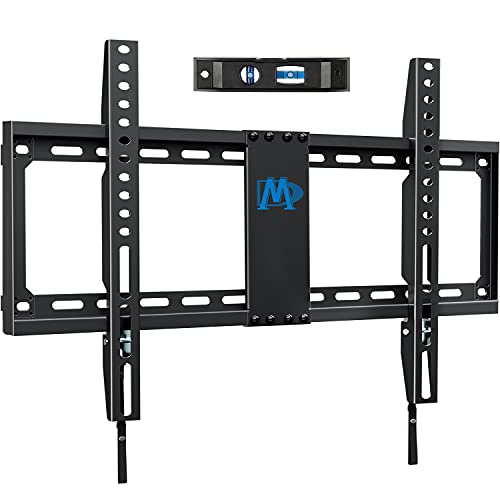
Mounting Dream TV Mount Fixed for Most 42-84 Inch Flat Screen TV UL Listed | TV Wall Mount Bracket up to VESA 600 x 400mm and 132 lbs - Fits 16"/18"/24" Studs - Low Profile and Space Saving MD2163-K
Check price on Amazon
USX MOUNT TV Wall Mount for 32-74 inch Flat Screen/LED/4K up to 110lbs, Full Motion TV Mount Bracket with Swivel & Tilt Articulating Dual Arms, Max VESA 400x400mm, Fits 12/16" Wood Studs
Check price on Amazon
Mounting Dream Tilting TV Wall Mount for Most 37-90 Inch TVs up to 132lbs | Low Profile TV Mount Fits 16", 18", 24" Studs, Max VESA 600x400mm, Wall Mount TV Bracket with Quick Lock & Release, MD2268-LK
Check price on Amazon
Full Motion TV Wall Mount for Most 37"-84" Flat Screen TV, Swivel or Tilt TV Wall Bracket with Dual Articulating Arms, for 12"-16" Wood Studs, Max VESA 600x400mm, Load 120 lbs by USX MOUNT
Check price on Amazon
USX Mount Full Motion TV Wall Mount for 42-90 inch TV Holds up to 132lbs | TV Mount Bracket Dual Swivel Articulating Tilt 6 Arms, Max 16" Wood Studs, VESA 600x400mm, Fits 55/65/75/85/86"
Check price on Amazon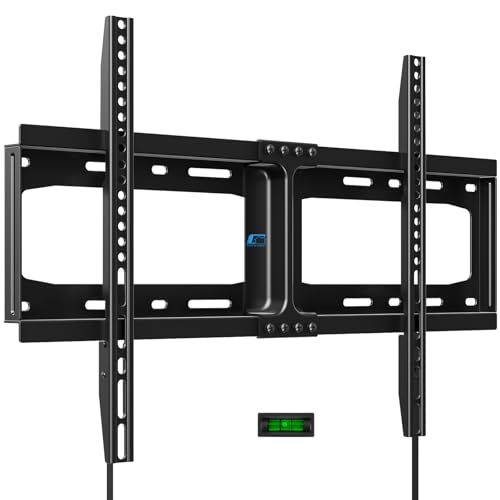
HOME VISION Heavy Duty Fixed TV Wall Mount for 32-86 Inch Flat Screen | Max VESA 600x400mm, Holds up to 165 lbs, Fits 8-24" Wood Studs, Universal Low Profile TV Bracket, Space Saving HV8601
Check price on Amazon
Mounting Dream Full Motion TV Wall Mount for 32-70 Inch TVs up to 110lbs | Mount Bracket with Swivel and Tilt, TV Bracket with Articulating Dual Arms, Fits 16” Studs, Max VESA 400X400 mm, MD2380
Check price on Amazon
IWORKBOARD 55 65 75 85 inch Tilting TV Wall Mount for 32-90 '' TVs, Low Profile TV Mount Bracket, Safe Lock & Quick Release,Max VESA 600x400mm, 24 inch Studs,132 lbs, Fit Most 55+ 75+ 85+ 86 TVs
Check price on AmazonFrequently Asked Questions
What size wall mount do I need for a 65-inch TV?
You need a mount that supports the VESA pattern of your specific TV (commonly 400x400 or 600x400) and is rated for at least 1.5 times the weight of your TV. Most mounts designed for 50–75 inch TVs will work perfectly.
Can I mount a 65-inch TV on drywall without studs?
It is not recommended for full-motion mounts due to the leverage. For fixed or tilt mounts, you can use heavy-duty toggle bolts, but the safest option is always to mount into studs or use a no stud wall mount for 65 inch TV specifically designed for drywall.
How high should I mount my 65-inch TV?
The center of the TV should be at eye level when you are seated in your primary viewing position. For most living rooms, this is 42 to 48 inches from the floor. In bedrooms, you may want it slightly higher.
Is a full-motion mount worth it for a 65-inch TV?
Yes, if you need to adjust the viewing angle frequently or have an open floor plan. A full motion mount for 65 inch TV offers unmatched flexibility, but it costs more and requires a sturdier installation.
Do I need a professional to install my TV wall mount?
If you are comfortable with a drill and have basic DIY skills, you can install it yourself. However, for large TVs or tricky wall types, professional installation is a wise investment for safety and peace of mind.
Final Thoughts: Choosing the Right Mount for Your 65-Inch TV
A 65-inch flat screen TV deserves a mount that matches its size and weight. By understanding VESA patterns, weight limits, mount types, and your wall construction, you can choose a solution that is safe, functional, and aesthetically pleasing. Whether you opt for a sleek fixed mount or a versatile full-motion model, the right wall mount will transform your viewing experience and elevate your living space.
Ready to upgrade your setup? Explore our recommended products above, and don't forget to check out our other guides on TV mounts for a 65 inch TV and wall TV mount for 65 inch TV for more in-depth advice.