
The Complete Guide to Floating TV Mounts
Transform your living space with a sleek, space-saving floating TV mount. Discover everything you need to know about wall-mounted TV stands, from weight capacity to installation.
Shop Floating TV MountsWhat is a Floating TV Mount? A floating TV mount is a wall-mounted bracket system that securely attaches your television to the wall, creating a sleek, floating appearance. Unlike traditional TV stands that sit on the floor, floating mounts save valuable floor space and create a modern, minimalist aesthetic that complements any living room design.
Why Choose a Floating TV Mount?
Space-Saving Design
Floating TV mounts eliminate the need for bulky entertainment centers, freeing up floor space for other furniture or creating a more open, airy feel in your living room. This is especially beneficial for small living rooms or apartments where every square foot matters.
Modern Aesthetic
The clean, minimalist look of a floating TV mount instantly updates your room's style. Whether you prefer a modern TV stand aesthetic or a more traditional setup, floating mounts offer a versatile solution that works with any decor.
Optimal Viewing Height
Wall mounting allows you to position your TV at the perfect eye level for comfortable viewing. This reduces neck strain and creates a more immersive entertainment experience, especially when paired with the right TV wall design.
Improved Safety
Floating TV mounts securely anchor your television to wall studs, significantly reducing the risk of tip-over accidents. This makes them an excellent choice for households with children or pets, and a safer alternative to traditional TV stand types.
Types of Floating TV Mounts
Fixed Wall Mounts
- Best for: Minimalist setups where TV stays in one position
- Pros: Lowest profile, most affordable, easiest installation
- Cons: No tilt or swivel adjustment
- Price: $30–$80
Tilt Wall Mounts
- Best for: Rooms with glare issues or high TV placement
- Pros: Reduces glare, improves viewing angles
- Cons: Limited adjustment (typically -15° to +15°)
- Price: $60–$150
Full-Motion Swivel Mounts
- Best for: Flexible viewing from multiple room areas
- Pros: Extends, swivels, and tilts for perfect positioning
- Cons: More expensive, requires sturdy wall support
- Price: $120–$300
Floating TV Stand with Mount
- Best for: Complete modern entertainment solution
- Pros: Combines TV mount with shelf storage
- Cons: Limited to specific TV sizes
- Price: $250–$600
📋 Floating TV Mount Buying Checklist
VESA Compatibility
Check your TV's VESA pattern (e.g., 200x200, 400x400). The mount must match these measurements.
Weight Capacity
Ensure the mount supports your TV's weight. Always add a safety margin of 20% above your TV's weight.
Wall Type
Confirm your wall type (drywall, concrete, brick) and choose appropriate mounting hardware. For drywall, locate wall studs.
Screen Size Support
Verify the mount supports your TV's screen size (typically 32"–85" for most mounts).
Depth of Mount
Consider how far the mount extends from the wall. Low-profile mounts sit 1–2 inches from the wall.
Cable Management
Look for mounts with cable management channels or consider a modern TV credenza with built-in cable routing.
Floating TV Mount Comparison
| Feature | Fixed Mount | Tilt Mount | Full-Motion Mount | Floating Stand with Mount |
|---|---|---|---|---|
| Price Range | $30–$80 | $60–$150 | $120–$300 | $250–$600 |
| Profile Depth | 1–2 inches | 1.5–3 inches | 2–5 inches | 3–8 inches |
| Tilt Adjustment | ❌ | ✅ (-15° to +15°) | ✅ (-15° to +15°) | ✅ |
| Swivel Adjustment | ❌ | ❌ | ✅ (up to 180°) | ❌ |
| Extension | ❌ | ❌ | ✅ (up to 20 inches) | ❌ |
| Weight Capacity | up to 150 lbs | up to 150 lbs | up to 130 lbs | up to 100 lbs |
| Best For | Minimalist setups | Glare reduction | Flexible viewing | Style + storage |
How to Install a Floating TV Mount
Step-by-Step Installation Guide
- Gather Tools: You'll need a stud finder, level, drill, socket wrench, and appropriate drill bits.
- Find Wall Studs: Use a stud finder to locate studs in your wall. Floating TV mounts must be anchored to studs for safety.
- Mark Mounting Holes: Hold the mount against the wall at your desired height and mark screw holes with a pencil.
- Drill Pilot Holes: Drill pilot holes at your marked locations, being careful not to hit electrical wires or plumbing.
- Attach Wall Plate: Secure the wall plate to the studs using the provided lag bolts and washers.
- Attach Brackets to TV: Secure the mounting brackets to your TV's VESA mounting holes using the appropriate screws.
- Hang TV on Mount: Carefully lift your TV and hang it on the wall plate, ensuring it clicks securely into place.
- Test and Adjust: Check level alignment, tighten all bolts, and test the mount's movement if using a tilt or full-motion mount.
For a more comprehensive setup, consider pairing your floating TV mount with a complete entertainment center or media console for additional storage.
Best TV Sizes for Floating Mounts
32–50 Inch TVs
Small to medium TVs are ideal for fixed or tilt mounts. These sizes typically weigh 25–40 lbs and fit most standard mounts perfectly. Great for bedrooms, kitchens, or smaller apartment living rooms.
55–65 Inch TVs
Mid-sized TVs (45–65 lbs) work well with full-motion mounts for flexible viewing. This is the most popular size range for living rooms and pairs beautifully with a modern TV stand 65 inch aesthetic.
70–85 Inch TVs
Large TVs (65–100 lbs) require heavy-duty mounts with extended weight capacity. Consider a heavy-duty TV stand option or a mount specifically rated for large screens.
85+ Inch TVs
Ultra-large TVs require specialized mounts with high weight capacity (100+ lbs) and extra-wide VESA patterns. Always check manufacturer specifications carefully.
Top Floating TV Mounts
⚠️ AFFILIATE DISCLOSURE: This website contains affiliate links. As an affiliate Associate, we earn from qualifying purchases. If you make a purchase through these links, we may receive a small commission at no additional cost to you. Read our full affiliate policy.

Atelier Mobili Floating TV Stand for 75 Inch TVs, Modern Entertainment Center with Cable Management,Elegant TV Stands for Living Room, Stylish Modern TV Stands (Walnut)
Check price on Amazon
Auoace No Stud TV Wall Mount, Studless Drywall TV Hanger for 12-55 Inch TVs | No Drill, No Screws, No Damage, Dry Wall Flat Screen TVs Easy Install, VESA Bracket, up to 99 lbs, Include All Hardware Level
Check price on Amazon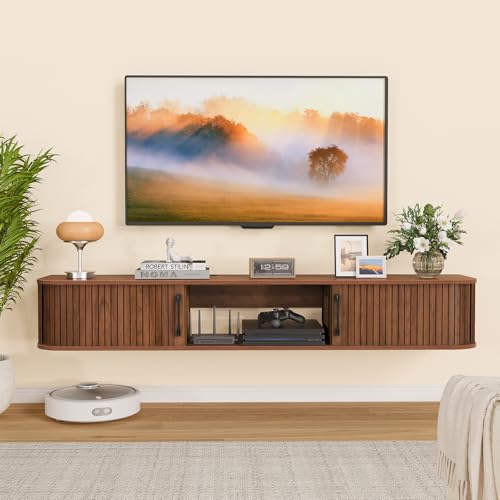
Snughome 55" Floating TV Stand for TVs up to 65", Fluted Floating Entertainment Center with Sliding Door, Wall Mounted TV Shelf, Mid-Century Modern TV Console for Living Room, Bedroom
Check price on Amazon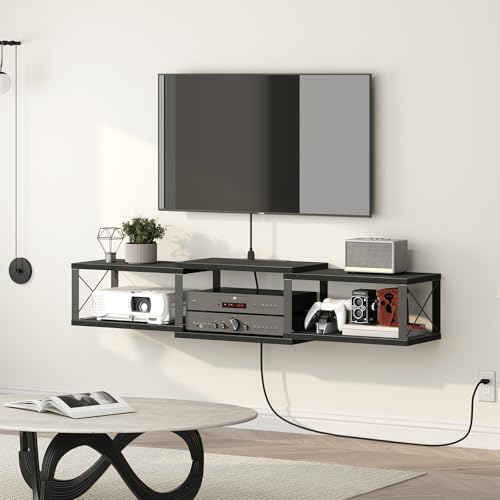
MAHANCRIS 43.7” Floating TV Stand with Power Outlet, Wall-Mounted Entertainment Center, Floating Metal Frame Media Console Shelf for Under TV Storage, for Living Room, Bedroom, Black TVHB101E01
Check price on Amazon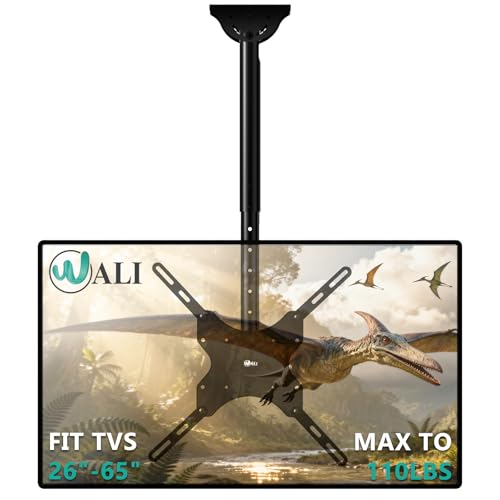
WALI Ceiling TV Mount for Most 26-65 inch LCD LED 4K TVs, up to 110 lbs | Hanging Pole Ceiling Mount TV Bracket for Home Gym Patio Gazebo, Full Motion with Tilt, Swivel, Max VESA 400x400mm (CM2665)
Check price on Amazon
OneBlis 70'' Floating TV Stand with 36" Electric Fireplace, Wall Mounted Entertainment Center with Storage for TVs up to 80", Adjustable 12-Color LED Media TV Console for Living Room,All Black
Check price on Amazon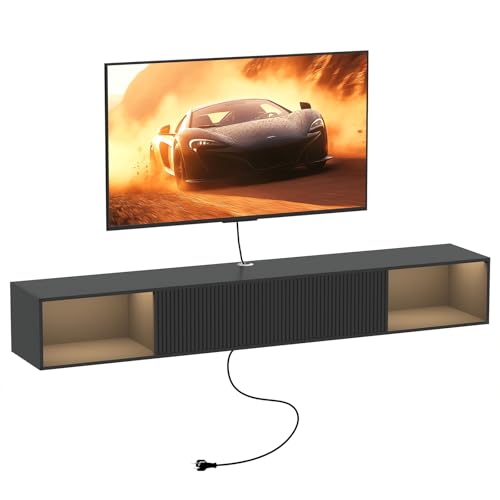
Katrawu 55" Floating TV Stand with LED Light and Storage for Living Room | Black Floating TV Stand Wall Mounted Entertainment Center with Storage for Bedroom, Wood Floating TV Shelf for Living Room
Check price on Amazon
Antimbee No Stud TV Wall Mount, Studless 13 to 55" TVs Bracket, 100lbs Load | No Drill Install, All Hardware Include, Level, Max VESA 400x400mm, Drywall Hanger Fit LED LCD Flat, Curved Screen, Monitors
Check price on AmazonFrequently Asked Questions
What is VESA and why does it matter?
VESA (Video Electronics Standards Association) is the standard for TV mounting hole patterns. You must match your TV's VESA pattern to the mount's VESA compatibility for secure installation.
Can I install a floating TV mount on drywall without studs?
Yes, but only if using heavy-duty toggle bolts or anchors rated for your TV's weight. However, stud mounting is always recommended for safety and stability.
How much weight can a floating TV mount hold?
Standard mounts hold 80–150 lbs. Heavy-duty options support up to 200+ lbs. Always check the mount's weight capacity and compare to your TV's weight.
What's the ideal viewing height for a floating TV mount?
The center of your TV screen should be at eye level when seated (typically 42–45 inches from floor to center). Adjust based on your furniture height and viewing distance.
Can I use a floating TV mount with a soundbar?
Yes! Many mounts include soundbar brackets or you can purchase separate soundbar mounts. Some TV stands with swivel mount also feature built-in soundbar support.
Are floating TV mounts safe for brick or concrete walls?
Yes, with the right anchors. Use masonry bits and concrete anchors specifically designed for your wall type. Consult a professional if you're unsure about your wall construction.